
DDgui Programmers Reference Guide by Nicholas J. Kingsley - HTML preview
PLEASE NOTE: This is an HTML preview only and some elements such as links or page numbers may be incorrect.
Download the book in PDF, ePub, Kindle for a complete version.
Download the book in PDF, ePub, Kindle for a complete version.
File Dialog
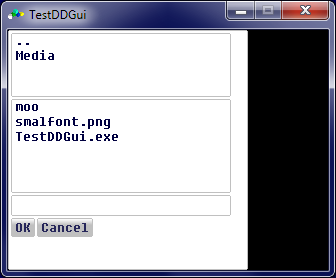
A file dialog is a window that allows you to enter (or select) a file for loading or save.
A file dialog is used by :
result$ = DDgui_FileDialog$(open% [, filter$])
open% denotes whether you have opened the dialog window for read (open% = TRUE) or writing (open% = FALSE)
filter$ is an extension which filters any file list to those that have the given extension, if given.
If filter$ is not present, then all files will be listed.
If open% = FALSE, then a given filename will have the extension stored in filter$ appended to it (if present). If filter$ is not present, then no extension will be added
This function returns the filename selected or entered.
Notes :
- If the file dialog is set for writing, then an empty file with the given filename will be created in the current working directory.
A file dialog window looks like :